
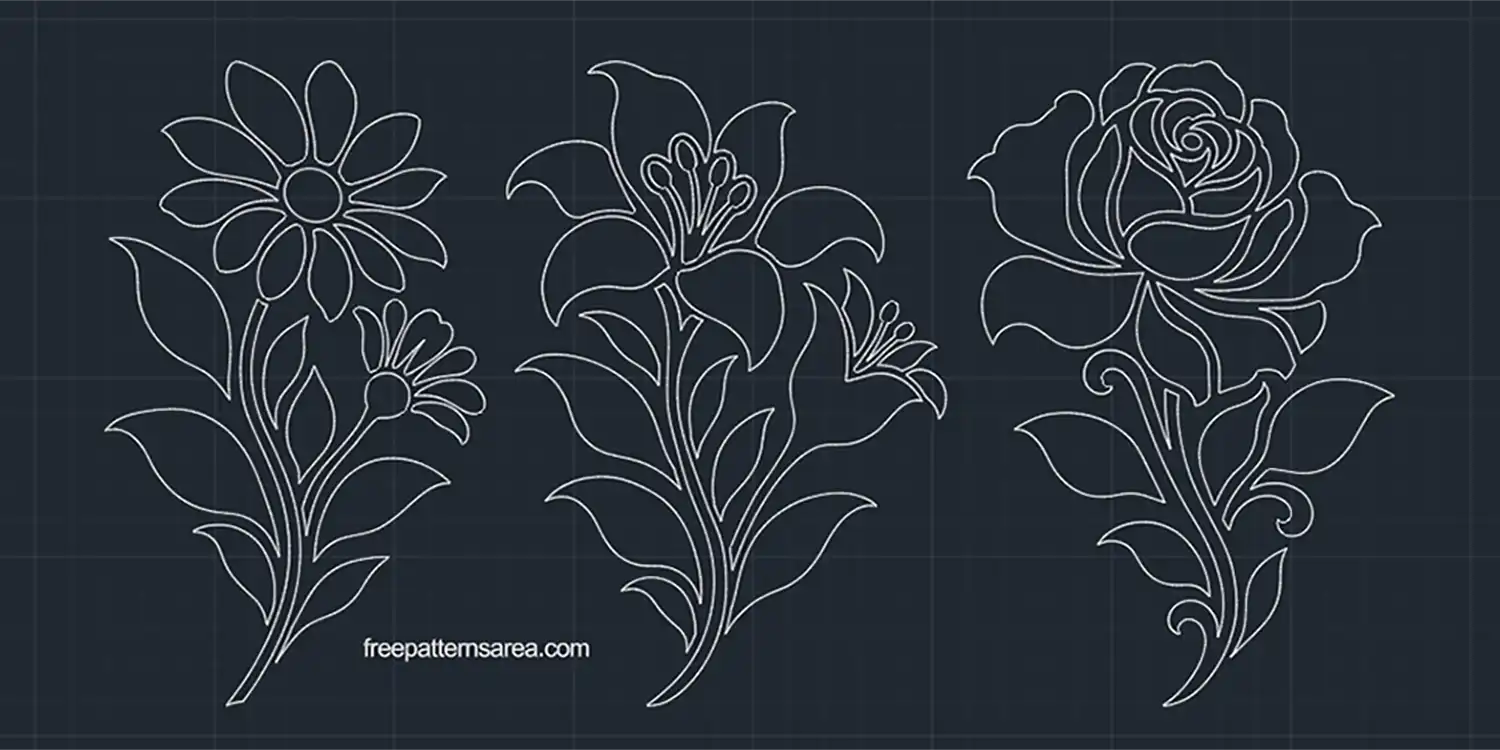
Plan a daisy stencil for a planter, a lily motif for a cabinet panel or a rose engraving for a wooden box within your CAD project. This free flower DWG CAD block drawing provides all three designs in stencil and outer-contour versions for arranging, sizing and preparing your floral details.
I wanted each flower to have a complete shape of its own, with the leaves and stem contributing as much as the flower head. This gives you a motif that can occupy a narrow panel or stand beside lettering without needing a border around the whole composition. In your drawing, you can try the flower at different sizes and positions before choosing how it will sit on the finished object.
Start by drawing the surface you want to decorate at its intended dimensions. Then place a copy of your chosen flower within that outline and scale the complete motif proportionally. For example, you can position the lily on a cabinet door drawing and compare the space around its petals with the space beside its leaves. This helps you judge the placement against the actual panel rather than sizing the flower on its own.
For a paint stencil, choose the stencil version. The enclosed petal, leaf and stem shapes represent the openings you will cut from the sheet. The material between those openings forms bridges that hold the stencil together. Add an outline for your stencil sheet around the motif, leaving a margin for positioning and securing it during painting. A filled view of the flower shapes in your CAD layout can also help you picture the pattern that the paint will leave.
The outer-contour versions serve a different purpose. Each includes an outline surrounding the complete flower, so you can plan a flower-shaped piece with engraved details on its face. Place that outline within your material layout, then keep the interior flower shapes separate from the outside cutting boundary when preparing the operations.
You can also use the motifs for CNC engraving directly onto a wooden panel or box lid. Decide whether you want to follow the flower outlines or remove material inside the enclosed shapes. Then prepare the corresponding toolpaths in your CAM software. Check the smaller petal and leaf details against the selected cutter diameter, since the drawing can contain details that a larger tool cannot reproduce at the chosen size.
Download the Free Daisy, Lily and Rose DWG CAD Drawing
The download contains one 2D DWG drawing with:
- Three flower stencil designs and three outer-contour versions.
- Drawing units in millimetres.
- Closed spline and ellipse contours.
- Separate layers for the outer-contour versions’ cutting boundaries and engraving details.
Download the flower DWG and open it in AutoCAD or a CAD application that supports DWG. Copy the flower version you need into your project, check its dimensions against the surface outline, and save your working drawing before preparing the stencil layout or CNC engraving operations.
Looking for other formats of this design? Our full collection includes SVG, PDF, DXF, PNG, CDR and STL files. You can access them all on the main collection page.
License and Usage
These files are licensed under CC BY-NC-SA 4.0 for strictly personal, non-commercial use.
You are free to download, cut, and modify these designs for your personal projects. However, you may not sell the digital files or any physical products manufactured from them. If you share a modified version of this design, you must credit FreePatternsArea and distribute it under this exact same license.
Unauthorized redistribution, reproduction, or commercial exploitation of these files is a violation of intellectual property rights and may result in legal action.