
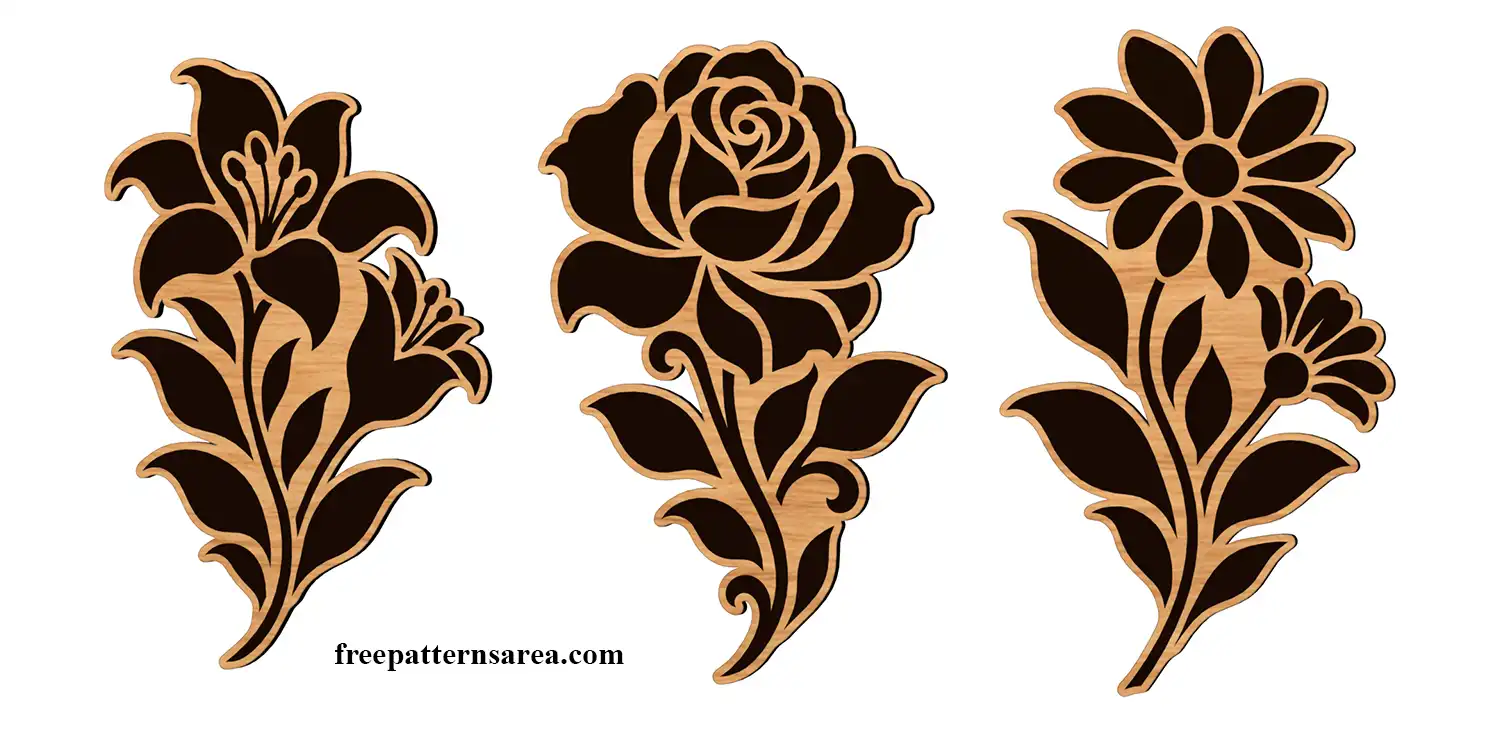
Cut a daisy, lily or rose stencil to paint flowers onto a wooden box, a furniture panel or a garden planter. This free flower stencil DXF download contains three floral designs, each supplied as a paint-stencil version and a version with an outer contour for cutting and engraving.
In the stencil versions, the petal, leaf and stem shapes become openings for the paint. I left connections between these shapes so the material remaining after cutting stays together. These connections, called bridges, hold the small details in place as part of the stencil sheet.
To make your stencil, choose one flower and leave a margin of material around it. Cut out the enclosed flower shapes while keeping the bridges intact. You can then position the finished sheet on your project and apply paint through the openings with a stencil brush, sponge or spray.
The rose’s curled petals can form a focal point on a keepsake box lid. For a taller surface, the lily’s spreading flowers and long stem can follow the shape of a cabinet panel. You can also repeat the daisy around a planter, moving the stencil after each impression. Changing the paint color and the distance between flowers lets you build your own arrangement from the same design.
Choosing Material for Your Flower Stencil
First, consider whether you want to use the stencil once or keep it for other projects. Paper or cardstock is an inexpensive choice for a one-off painted flower or a trial of the pattern. For repeated use, polyester stencil film such as Mylar provides a flexible sheet that you can clean with a method suitable for the film and your paint.
Next, match that material to your cutting machine. A CO2 laser is a practical choice for laser-rated polyester film, including clear stencil sheets. Common blue-diode lasers, however, can struggle to cut transparent sheets because much of the light passes through the material instead of being absorbed. For a home diode laser, choose an opaque stencil film that the manufacturer specifically lists as suitable for your machine. An opaque color alone does not confirm compatibility.
You can also prepare thin-film stencils with a blade cutter or stencil plotter. Choose a film thickness supported by your cutter and use software with DXF import support, such as the desktop version of Cricut Design Space. Adhesive stencil vinyl is another option for blade cutting, but PVC vinyl must not be cut with a laser.
Flower Cut-Outs and Engraved Details
For a separate flower-shaped decoration, choose a version with an outer contour. This contour is the outline surrounding the complete motif. Cut along that outline to make the piece, then engrave the petal, leaf and stem shapes onto its surface. A plywood rose prepared this way can become a fridge magnet when you attach magnetic backing.
In these versions, the interior engraving details are on a different layer from the outside cutting contour. Select the flower and version you need before assigning the cutting and engraving operations in software such as LightBurn. Alternatively, use a stencil-version motif as an engraving pattern when you want to decorate an existing wooden object without cutting out a separate piece.
Download the Free Daisy, Lily and Rose Stencil DXF
The download contains one DXF drawing with:
- Three paint-stencil designs and three outer-contour versions.
- AutoCAD 2000 DXF format, AC1015, in millimetres.
- 149 closed contours made from spline and ellipse geometry.
Download the flower DXF and open it in your cutting software. Select your flower, set its size for the surface you plan to paint, and keep only that version in the working layout. For a paint stencil, check that the selected paths cut the flower openings and leave the surrounding sheet intact before starting the cut.
Looking for other formats of this design? Our full collection includes SVG, PDF, PNG, DWG, CDR, STP and STL files. You can access them all on the main collection page.
License and Usage
These files are licensed under CC BY-NC-SA 4.0 for strictly personal, non-commercial use.
You are free to download, cut, and modify these designs for your personal projects. However, you may not sell the digital files or any physical products manufactured from them. If you share a modified version of this design, you must credit FreePatternsArea and distribute it under this exact same license.
Unauthorized redistribution, reproduction, or commercial exploitation of these files is a violation of intellectual property rights and may result in legal action.