
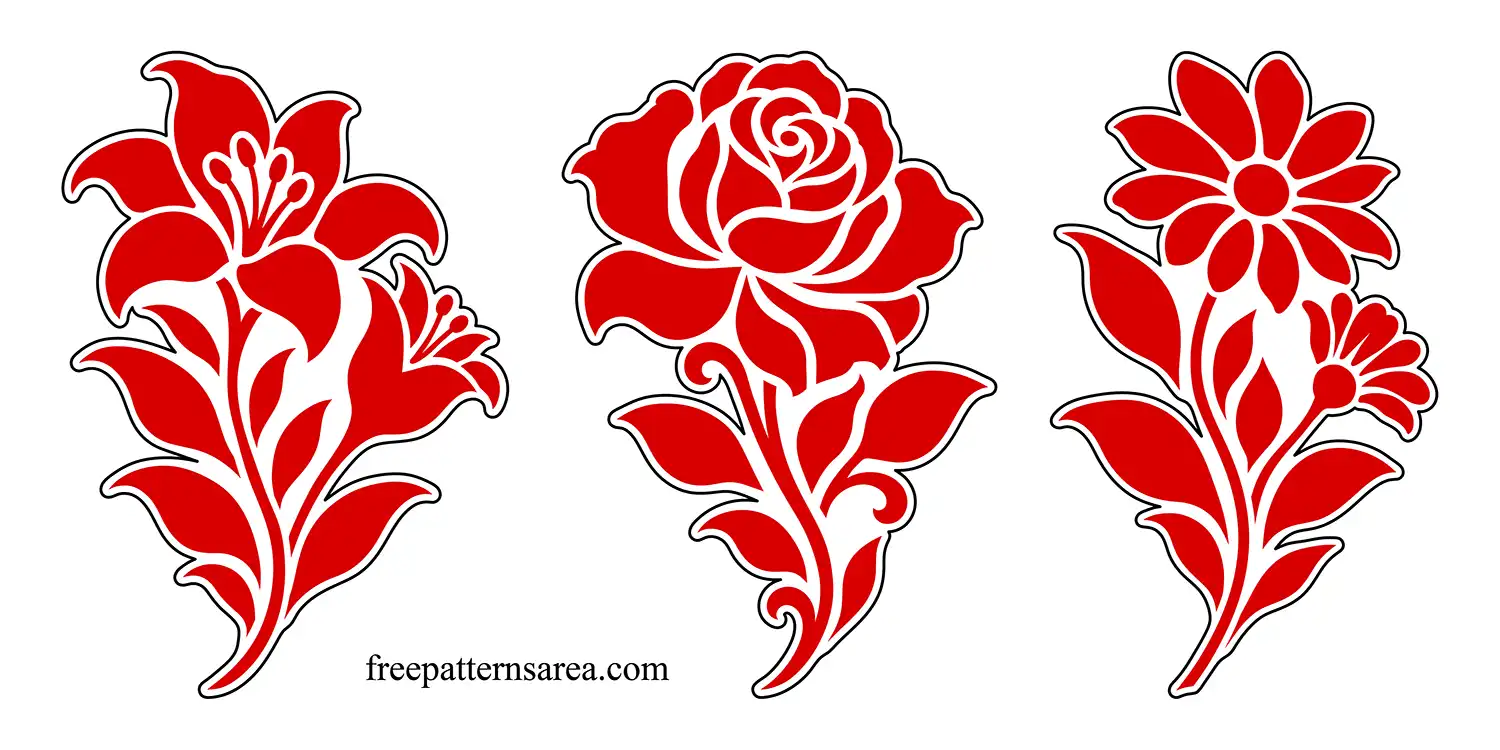
I drew these daisy, lily and rose designs with curved stems and pointed leaves, keeping each flower distinct enough to use on its own. The free flower stencil SVG download gives you six separate files for making paint stencils, working with floral vectors, or preparing flower cut designs with an outer border.
The daisy has an open arrangement of rounded petals, the lily spreads its petals around a group of stamens, and the rose curls inward toward its center. I wanted the stems and leaves to carry the same flowing rhythm through all three designs without making the flowers look alike. You can choose the rose for a painted keepsake box, use the lily along a cabinet door, or arrange the daisy beside lettering on a garden sign.
Each flower comes in two SVG versions. The black version defines the flower as separate filled shapes. For a paint stencil, those black shapes are the areas you remove from the stencil material so paint can pass through. The material left between the petals, leaves and stems forms the connections that keep the stencil sheet together. Leave a surrounding margin of material when preparing the sheet, then apply the flower through its openings with a stencil brush, sponge or spray paint.
The same black floral vectors can also be resized and recolored in a vector editor. Place a single flower beside a greeting on a card, or repeat one motif along the edge of a personal stationery design. Each SVG contains its own flower, so you can work with the motif you want without separating it from a combined collection.
The outer-contour version contains red flower shapes inside a black outline. The black outline defines the outside cutting boundary, while the red shapes define the flower details. You can assign these two parts to different operations according to your project.
For a flower magnet, cut along the black outline to make the flower-shaped piece. Then engrave the floral details onto its surface and attach a magnetic backing. For a layered decoration, use the outer shape as a backing and cut the inner flower shapes from a contrasting material. Attach those separate pieces to the backing, keeping their relative positions so the gaps still describe the flower.
For a printed flower sticker, print the inner design and use the outer contour as the cutting boundary. This keeps the printed flower within a surrounding border.
Download the Free Daisy, Lily and Rose SVG Stencil Files
The ZIP contains six separate SVG files, with two versions of each flower:
- Three black stencil and vector designs: daisy, lily and rose.
- Three contoured designs with red inner shapes and a black outer boundary.
- Vector paths with no embedded raster images.
Download the flower SVG set and open the version for your project in a vector editor or SVG-compatible cutting software. Set the flower to your chosen size, then prepare the black shapes as stencil openings or assign the outer contour and inner details to the cutting, engraving or color layers your design needs.
Looking for other formats of this design? Our full collection includes PDF, PNG, DXF, DWG, CDR, STL and STP files. You can access them all on the main collection page.
License and Usage
These files are licensed under CC BY-NC-SA 4.0 for strictly personal, non-commercial use.
You are free to download, cut, and modify these designs for your personal projects. However, you may not sell the digital files or any physical products manufactured from them. If you share a modified version of this design, you must credit FreePatternsArea and distribute it under this exact same license.
Unauthorized redistribution, reproduction, or commercial exploitation of these files is a violation of intellectual property rights and may result in legal action.