
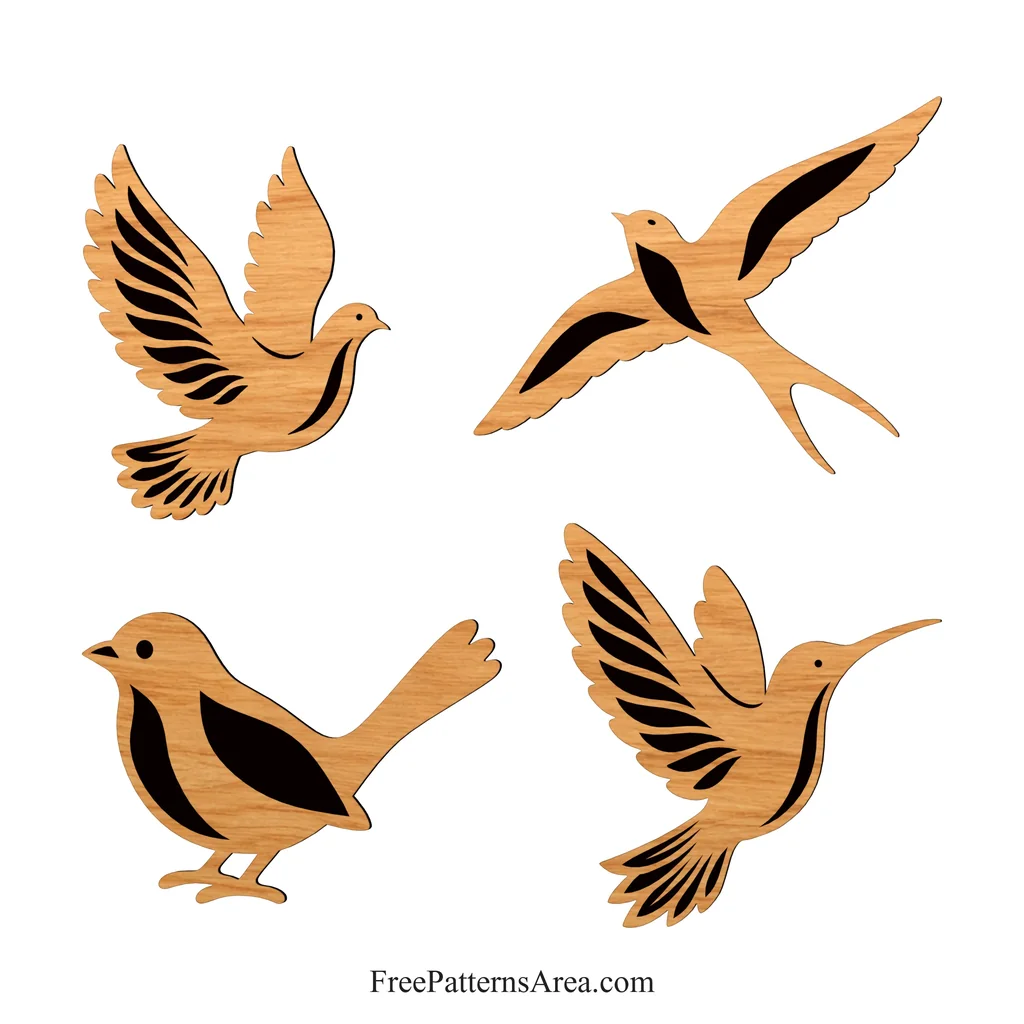
A dove, a swallow, a songbird and a hummingbird share one drawing in this DXF, and in every bird the outer contour and the feather details are drawn as separate closed shapes. This free laser cut bird DXF file is ready for laser engraving, cut-out wall art and layered pieces, and the same contours also suit plotter-cut vinyl decals.
On a wall, I like to hang these birds as one small flight. The dove, the swallow and the hummingbird go high and spread out across the wall, while the songbird stands at the bottom, as if it has just landed and is watching the others from below.
Four Bird Contours with Separate Detail Layers
The DXF is saved in AutoCAD R2000 format with millimeter units, and the four birds sit at least 50 mm apart in one layout of about 600 × 526 mm. Each bird has the following size:
- Dove: 231 × 261 mm
- Swallow: 308 × 234 mm
- Songbird: 310 × 200 mm
- Hummingbird: 249 × 261 mm
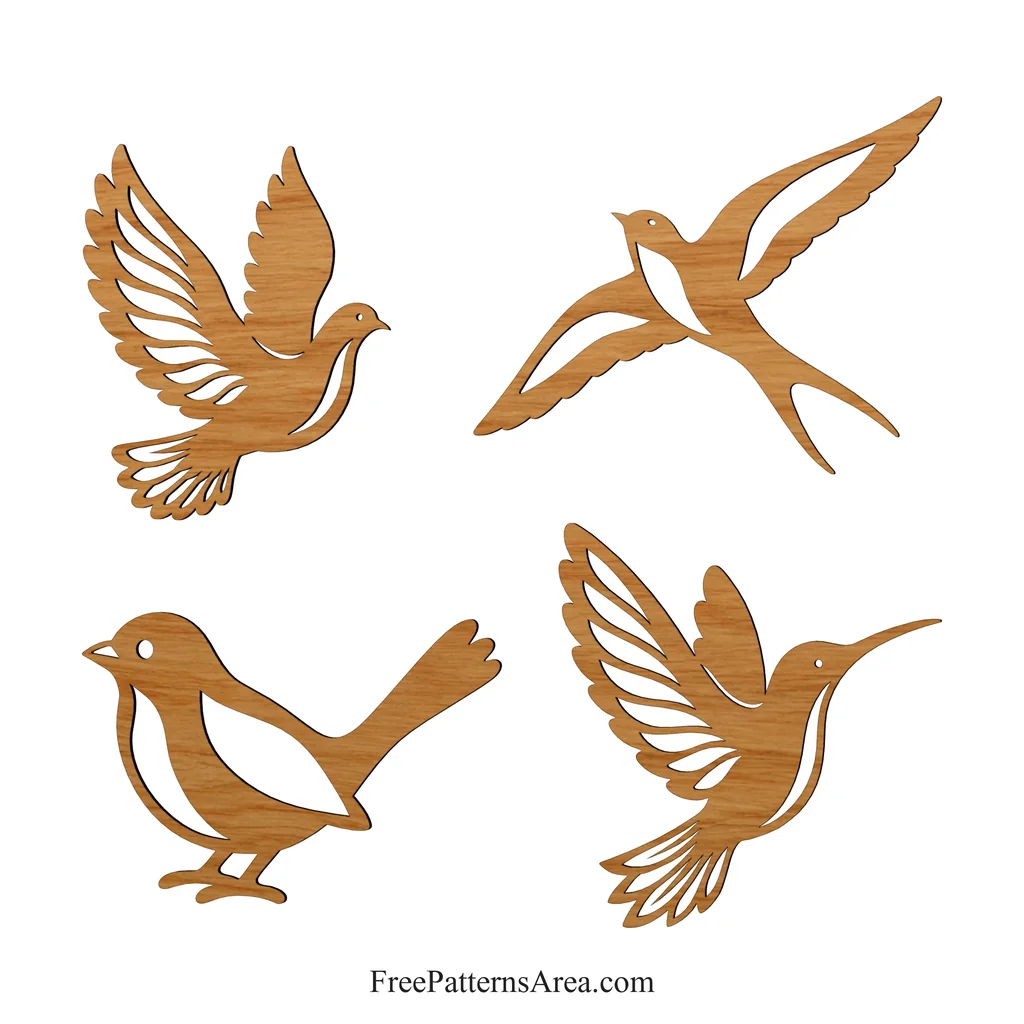
Every bird uses two layers of its own. The first layer holds the outer contour, and the second holds the feather, breast and eye details. The detail contours are also drawn in blue, so your laser software can separate them from the outer contours by layer or by color. All contours are closed splines, and the eyes are circles, except for the swallow, whose eye is an ellipse. At this size, the details are at least about 2.7 mm wide, they lie at least 2.9 mm apart, and they keep about 3.5 mm of material between themselves and the outer edge. These dimensions sit comfortably within what a laser beam handles in plywood or acrylic, so you can cut and engrave the birds at the file size.
For engraved birds, assign the detail layer to a filled engraving and the outer contour layer to a cut. Run the engraving first and the cut last, so the bird stays fixed in the sheet while the laser fills the feathers. Because every detail is a closed shape, the laser software can fill it completely, and on light plywood the feathers turn dark against the bare wood.
Engraved in this way, the four birds form a wall group for a hallway or a stairway, and a single hummingbird or dove can hang alone above a window or a desk.
When you cut all contours, the feather details become openings, and the wall behind the bird shows through them. In that case, cut the detail layer first and the outer contour last. For a two-material bird, cut the outer contours from one material and the details from a second, for example light plywood for the body and dark acrylic or wood veneer for the feathers. Before you cut the bodies, you can mark the detail lines on them with a low-power engraving pass, which then shows exactly where each feather should be glued. Each bird also fits on its own on the bed of a typical desktop laser, so you can cut one bird at a time if your machine cannot take the whole layout.
On a vinyl plotter, the same two layers become a two-color decal. Cut the outer contours from one vinyl color and the details from another, weed both, and then lay the details over the base with transfer tape.
Download the Free Bird DXF File for Laser Cutting and Engraving
The download contains one DXF file with all four birds.
- Format: DXF, AutoCAD R2000, millimeters
- Content: dove, swallow, songbird and hummingbird in one drawing
- Layers: one outer contour layer and one detail layer for each bird
- Contours: closed splines, with circles and one ellipse for the eyes
- Overall layout: about 600 × 526 mm
Download the bird DXF and import it into your laser or plotter software. Then assign the detail layers to engraving, cutting or a second material, and start with the bird you want to see on your wall first.
Looking for other formats of this design? Our full collection includes SVG, PDF, PNG, DWG, CDR and STL files. You can access them all on the main collection page.
License and Usage
These files are licensed under CC BY-NC-SA 4.0 for strictly personal, non-commercial use.
You are free to download, cut, and modify these designs for your personal projects. However, you may not sell the digital files or any physical products manufactured from them. If you share a modified version of this design, you must credit FreePatternsArea and distribute it under this exact same license.
Unauthorized redistribution, reproduction, or commercial exploitation of these files is a violation of intellectual property rights and may result in legal action.