
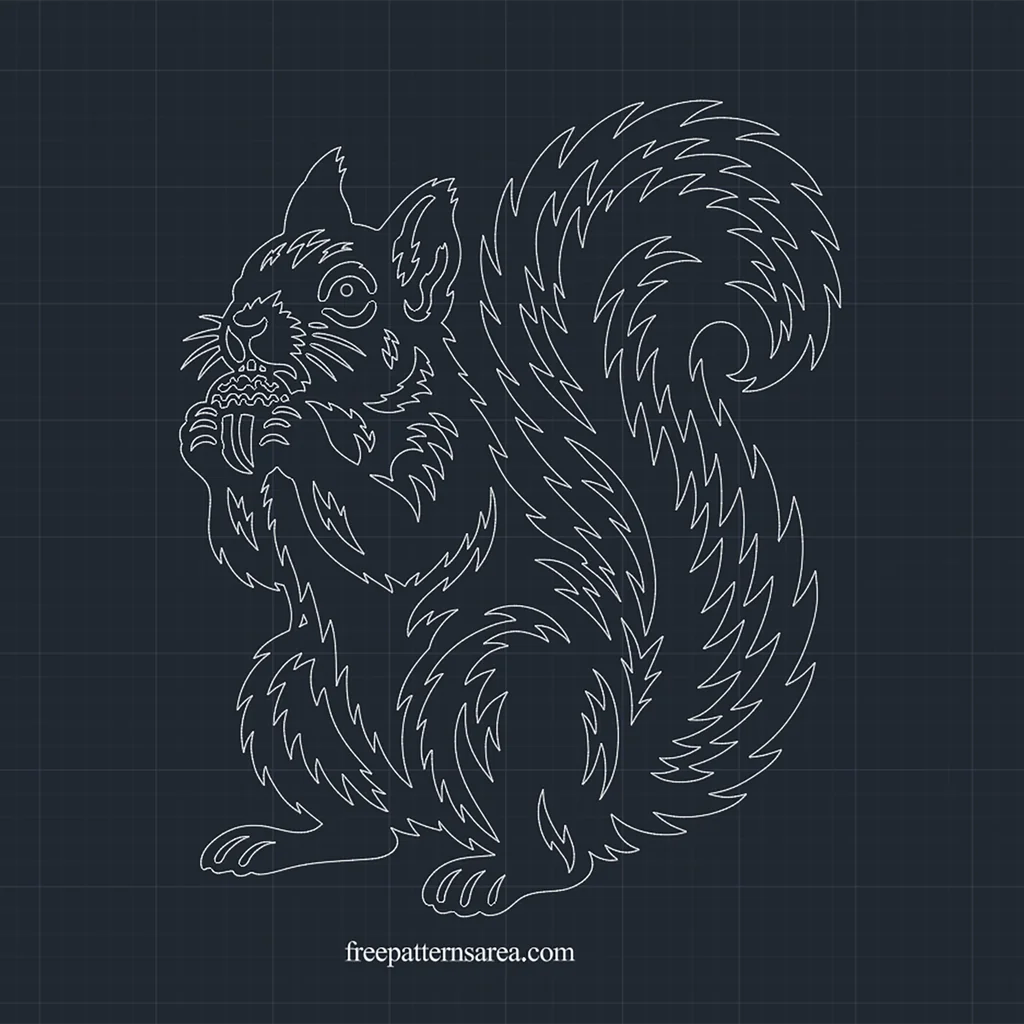
The outline of this squirrel closes around its whole body, from the curled tail to the acorn held up to its mouth, so in a drawing it behaves like one clean boundary. The free squirrel DWG gives you that outline as a 2D CAD block style drawing for AutoCAD layouts, hatch fills and CNC router work.
When I place an animal drawing into a CAD layout, I want it to behave like any other object in the file: something I can snap to, scale and fill without first repairing it. That was the idea behind keeping this squirrel as one connected shape. The flame-like fur, the eye, the ear, the toes and the zigzag pattern on the acorn cap are all closed openings inside a single outer contour, and none of them leaves a floating island. As a result, the drawing gives you clear boundaries everywhere, and every area in it is either body or opening.
A 2D Squirrel CAD Drawing That Hatches in One Pick
The DWG is saved in AutoCAD 2000 format and drawn in millimetres. It contains 52 closed contours: one outer contour for the silhouette and 51 inner contours for the openings. Fifty of the inner contours are spline curves, and the eye is a true ellipse. All of the drawing sits on one layer, and at its original size it measures about 283.3 × 350 mm.
Because the squirrel is a single piece, filling it is simple. Start the HATCH command, choose a solid fill or a pattern, and pick one point anywhere inside the body. With normal island detection, AutoCAD fills the body and recognizes the 51 openings as islands, so the fur strips, the eye and the acorn pattern stay empty. A solid black hatch turns the outline into a squirrel silhouette within seconds, while a wood grain or line pattern gives it the look of a carved panel on an elevation drawing.
The file arrives as loose geometry, so you can also turn it into your own block. Select the whole squirrel, run the BLOCK command, and choose a base point, for example the middle of the bottom edge between the feet. After that, you can insert the squirrel CAD block into a landscape plan for a woodland garden, onto the elevation of a children’s room wall, or into a signage layout for a nature trail, and scale each copy as the drawing needs.
Using the Squirrel DWG for CNC Routing and V-Carving
For CNC router operators, the drawing offers two routes, and the right one depends on the size of the piece.
V-carving works at the original size. When you assign a V-carve toolpath to the openings, the V-bit cuts deeper where an opening is wide and shallower where it narrows. Because of this, the bit follows the whiskers, the toes and the acorn cap without losing them, and the result is an engraved squirrel on a board. You can then fill the carved strips with dark paint or epoxy for a sign or a decorative panel.
A through-cut with an end mill needs more room. At about 283 × 350 mm, a 1/8 inch end mill can enter only about two thirds of the openings, so for a cut-out squirrel I would scale the drawing to about twice its size, roughly 570 × 700 mm. At that scale, the same 1/8 inch bit reaches nearly every opening, and only the sharpest tips of the flame-shaped fur take on the small radius of the bit. Cut the inner openings first and the outer contour last, so that the workpiece stays held while the delicate interior is machined.
Download the Free Squirrel CAD Block Style DWG Drawing
The download contains one DWG file with the complete squirrel drawing.
- Format: DWG, AutoCAD 2000
- Units: millimetres
- Geometry: 52 closed contours (1 outer contour, 51 inner openings), no loose islands
- Drawing size: about 283.3 × 350 mm
- Structure: loose geometry on one layer, ready to hatch or to define as your own block
Download the squirrel DWG and open it in AutoCAD or another DWG-compatible CAD program. Then decide its role in your project: hatch it for a layout, define it as a block for repeated use, or scale it and prepare the toolpaths for your CNC router.
Looking for other formats of this design? Our full collection includes SVG, PDF, DXF, PNG, CDR and STL files. You can access them all on the main collection page.
License and Usage
These files are licensed under CC BY-NC-SA 4.0 for strictly personal, non-commercial use.
You are free to download, cut, and modify these designs for your personal projects. However, you may not sell the digital files or any physical products manufactured from them. If you share a modified version of this design, you must credit FreePatternsArea and distribute it under this exact same license.
Unauthorized redistribution, reproduction, or commercial exploitation of these files is a violation of intellectual property rights and may result in legal action.