
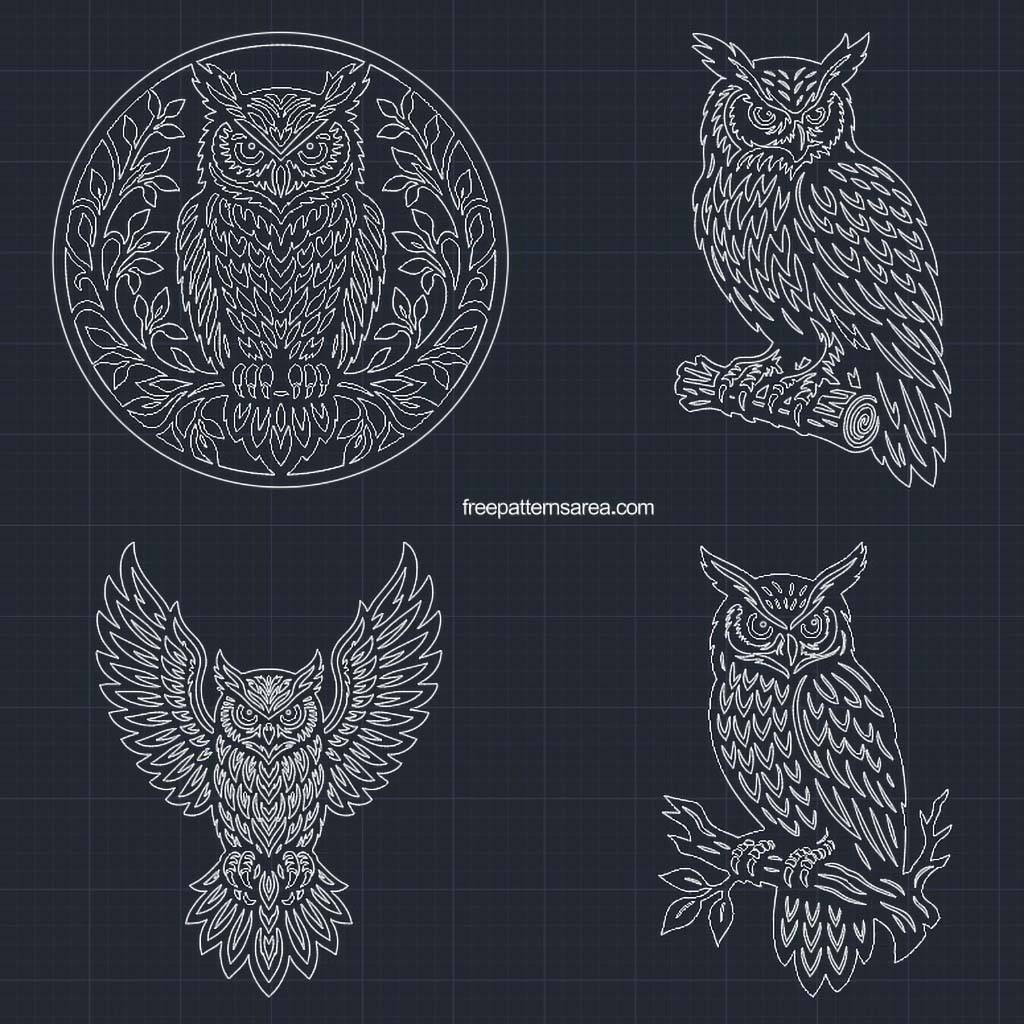
This is the free DWG download for the owl design set, holding the same four owls as 2D CAD drawings: the Owl in a Leafy Circle, the Owl on a Log, the Open-Wing Owl, and the Owl on a Bare Branch. The file works as an AutoCAD-compatible drawing or decorative 2D CAD block artwork, ready to open, edit, and arrange in 2D CAD software. It was saved directly from the verified DXF without changing the drawing, so the geometry matches that version exactly.
The line work was drawn by hand in AutoCAD over a long process rather than produced by tracing a raster image. That keeps the geometry clean: instead of the short, broken segment chains an auto-tracer leaves behind, each line runs as a continuous spline until it meets a sharp corner, a radius, or an intended transition, with a few true circles and ellipses where the shape calls for them. For a CAD user, that means curves you can edit and build on, not a mesh of fragments to repair first.
Every owl is a one-piece connected form with closed contours. The feathers, leaves, eyes, branch, and log detail are all tied back into the body, so there are no isolated interior islands that would become separate pieces in cutting workflows. Because the contours are connected and closed, the file is practical for CAD hatching and fill work: a closed, connected drawing gives hatch and fill tools clean boundaries to read, which is harder with loose, broken, or open trace geometry. That is a property of the drawing structure rather than a promise that every program will hatch every region automatically, but the closed-contour build is what makes that kind of work reasonable to set up.
For CNC use, scale matters. These owls carry dense feather, branch, ring, and face detail, so they are better suited to larger panel sizes than very small cuts. A cutter around 1/8 inch or finer tends to suit them better than a large tool, since a wide bit can open up the narrow closed contours, merge tight junctions, and soften the detail that gives the design its character. For surface engraving on a panel, a tapered V-bit kept at a shallow Z depth can read well: a shallow pass helps the fine ornamental detail stay legible and keeps narrow areas from cutting too wide or too heavy. Treat this as practical guidance rather than a fixed rule, since results depend on your machine, material, and setup.
File details:
- Format: DWG
- Designs: 4 owl cutwork designs
- CAD use: 2D CAD drawing / decorative CAD block-style artwork
- Geometry: mostly spline-based paths, with some circles and ellipses
- Final path count: about 470 paths
- Construction note: roughly 2300 vector paths when exploded
- Structure: one-piece connected cutwork, no loose interior islands
- Best for: AutoCAD-compatible editing, CAD block use, hatching and fill work, CAD/CAM preparation, CNC routing, and surface engraving setup
About that path count: in its final closed-contour form the drawing holds around 470 paths across the four designs. The same work in an exploded or earlier construction state breaks into roughly 2300 vector paths, which is a measure of the manual drawing behind the file rather than the active count you would work with in the finished DWG.
Each of the four owls suits a slightly different use. The leafy circle is the round, framed design with the foliage closing the ring; the log owl and the bare-branch owl are the two perched owls, one heavier and one lighter; and the open-wing owl is the wide, symmetrical spread. They were all drawn from the same original AutoCAD work.
Download the Free Owl DWG CAD Files
Download the DWG, open it in AutoCAD or a compatible 2D CAD program, and check the scale before you edit, hatch, or prepare toolpaths. If your software does not open DWG files or your cutting workflow needs a DXF exchange file, use the DXF version on its own page.
Looking for other formats of this design? Our full collection includes SVG, PDF, DXF, PNG, CDR and STL files. You can access them all on the main collection page.
License and Usage
These files are licensed under CC BY-NC-SA 4.0 for strictly personal, non-commercial use.
You are free to download, cut, and modify these designs for your personal projects. However, you may not sell the digital files or any physical products manufactured from them. If you share a modified version of this design, you must credit FreePatternsArea and distribute it under this exact same license.
Unauthorized redistribution, reproduction, or commercial exploitation of these files is a violation of intellectual property rights and may result in legal action.