
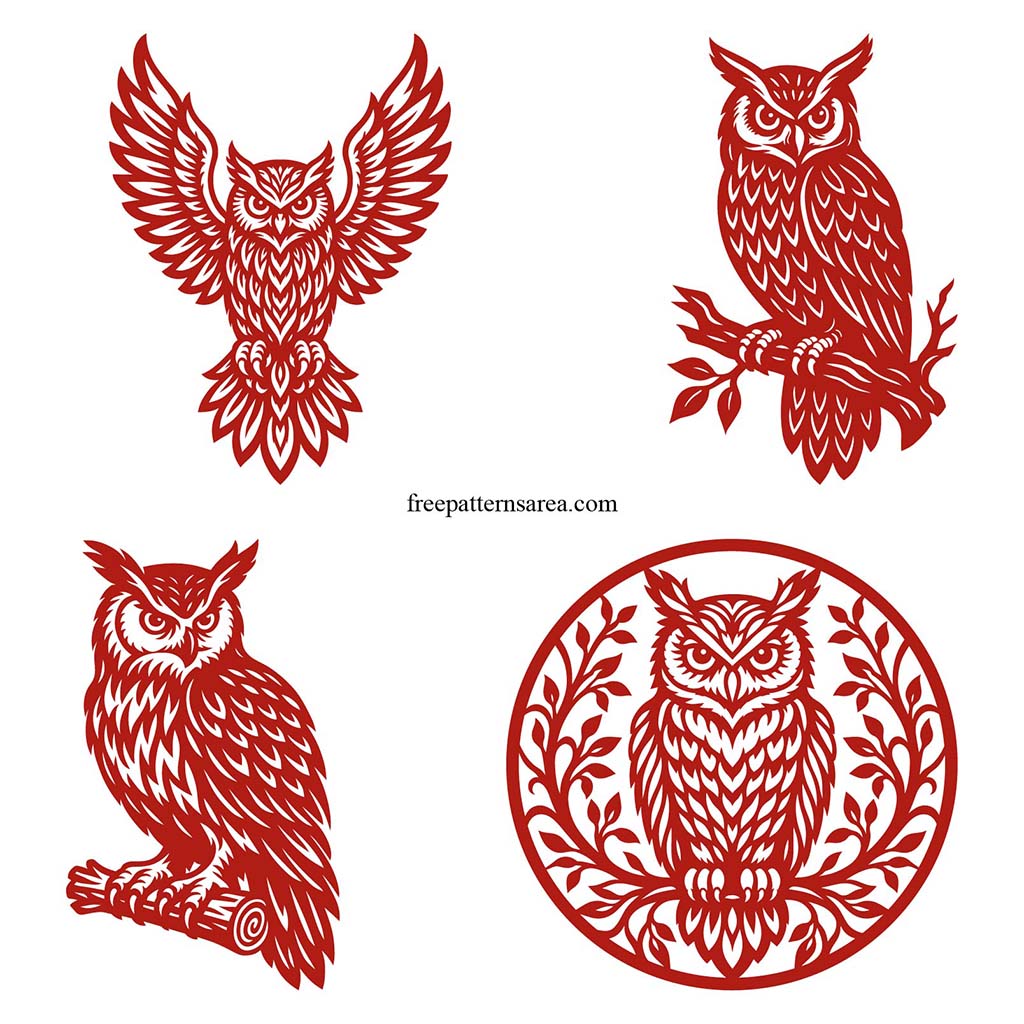
This is the free SVG download for the set of four owl designs. The download is a ZIP folder holding four separate SVG files, one owl in each, so you open just the design you want and work with it on its own rather than pulling one owl out of a crowded canvas. Each file is a connected cutwork owl, drawn so the feathers, leaves, branch, eyes, and body all stay tied together as a single vector design.
These are not plain black owl icons. The line work carries a lot of interior detail, and the whole point of how they are drawn is that the artwork is not built around loose interior islands that would fall away as separate pieces. There are no small floating shapes that would need bridges or tabs to hold them in place.
The paths were built by hand over a long drawing process and prepared as cut-file geometry, which is what lets a busy, feather-heavy owl still lift off the mat or bed as one connected piece. That also makes them clean to work with as scalable vectors, since you can open a design, ungroup or edit the paths, and arrange it without sorting loose shapes first.
Each owl is set to a 250 mm height in its SVG file. That is a starting size chosen to sit comfortably on the beds of common craft cutting machines, not a fixed final dimension. Because SVG is a scalable vector format, you can size a design up for a larger wall panel or down for smaller work without the resolution loss you would get from a raster file. The one thing to watch is scale at the small end: these are detailed owl cut designs, so taking one far below the 250 mm starting size can close up the fine feather lines and the small gaps between them, which matters more for cutting than for on-screen use.
File details:
- Format: SVG
- Package: ZIP folder
- Files: 4 separate SVG files
- Designs: one owl per file (Owl in a Leafy Circle, Owl on a Log, Open-Wing Owl, Owl on a Bare Branch)
- Design size: each owl set to 250 mm height, scalable from there
- Structure: connected cutwork vector paths, no loose interior islands
- Use: craft cutting, vector editing, wall art, vinyl, paper craft, laser and SVG-based cutting workflows
The files open in Cricut Design Space, Silhouette Studio, Brother ScanNCut, Glowforge, and LightBurn, as well as vector editors like Illustrator and Inkscape, so you can prepare a design for cutting or recolor and arrange it first. Pick the owl that suits the project and size it to your material.
The ZIP holds four different owls, so it helps to know what is inside before you open it. The Owl in a Leafy Circle is the round, framed design, a good fit for a wall panel or a layered craft where the foliage closes the ring. The Owl on a Log and the Owl on a Bare Branch are the two perched designs, one heavier and more grounded, the other thinner and quieter, and they pair well as a facing set. The Open-Wing Owl is the widest, a symmetrical spread that works as a standalone focal piece. All four are built with the same one-piece cutwork structure, so whichever you choose is meant to stay together as a connected SVG design.
Download the Free Owl SVG Files
Download the ZIP, open the SVG for the owl you want, then resize it to your machine and material before cutting.
Looking for other formats of this design? Our full collection includes PDF, PNG, DXF, DWG, CDR and STL files. You can access them all on the main collection page.
License and Usage
These files are licensed under CC BY-NC-SA 4.0 for strictly personal, non-commercial use.
You are free to download, cut, and modify these designs for your personal projects. However, you may not sell the digital files or any physical products manufactured from them. If you share a modified version of this design, you must credit FreePatternsArea and distribute it under this exact same license.
Unauthorized redistribution, reproduction, or commercial exploitation of these files is a violation of intellectual property rights and may result in legal action.